AI makeup preview
Virtual makeup try-on: find a look worth trying.
Try six makeup looks on your own photo or a free sample face, compare before and after, and get three steps to recreate each one.
Free · no sign-in or upload
Sign-in needed · checking availability…
Using your own photo: it is saved with its preview for 365 days unless you delete it sooner, and anyone with the result link can view that result. Privacy
How it works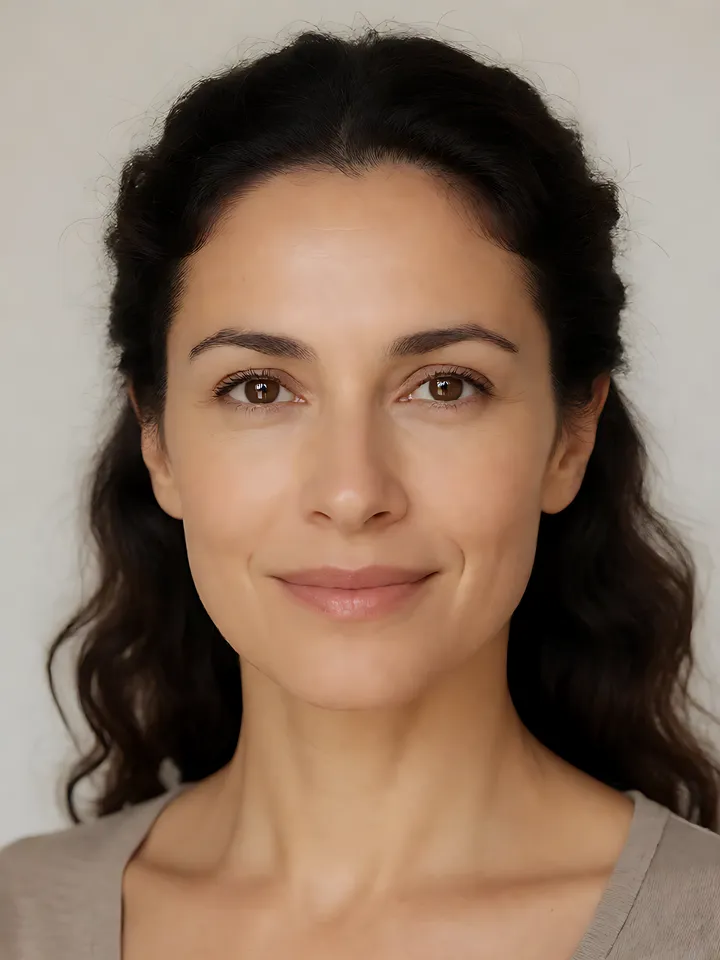
Try a look
Choose a style to start your preview. Each sample uses a different face; to compare styles on one face, see all six on one face.
- Soft GlamWeddings as a guestSoft Glam guide
 Before
 After
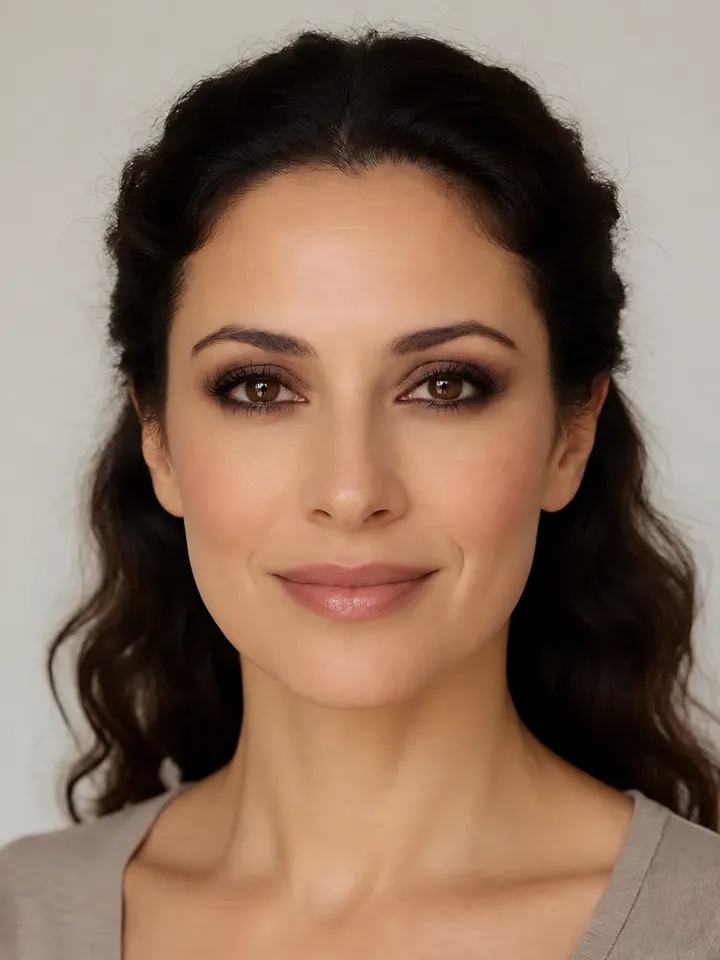
- Smokey EyesNights out and partiesSmokey Eyes guide
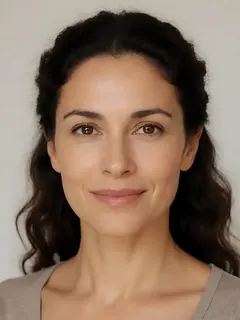 Before
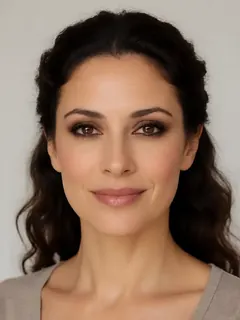 After
- Eyeliner FocusedEveryday wear with one statementEyeliner Focused guide
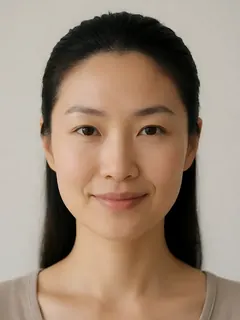 Before
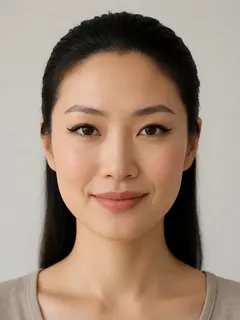 After
- BusinessOffice daysBusiness guide
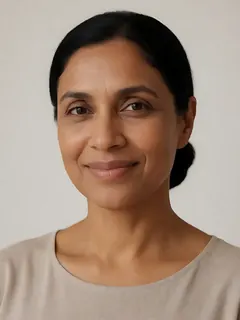 Before
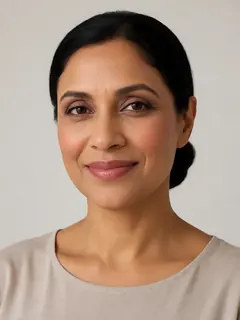 After
- Bronze GoddessSummer and vacationsBronze Goddess guide
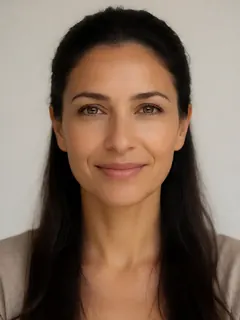 Before
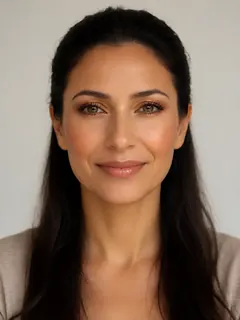 After
- Evening GlamEvening weddings and galasEvening Glam guide
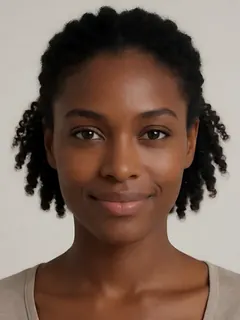 Before
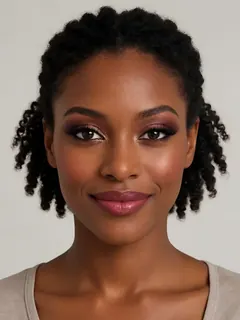 After
All faces shown are AI-generated fictional models, not real people.
Smokey Eyes: a three-step quick start
Every preview comes with a quick start like this one. The full guide adds technique and common mistakes.
- Prime the lids and blend a medium brown through the crease.
- Layer a deeper shade at the lash line and outer corner, softening every edge.
- Add mascara, a light touch of blush and a muted lip.
How the preview works
Choose a look
Pick one of six styles. You can always try another.
Choose a photo
Start with a free AI sample: no upload or sign-in. Or sign in to try it on your own photo.
Compare and use it
See before and after, download the preview and follow the makeup steps.
More ways to choose: the free undertone test (six questions, no photo) or a random makeup look.
Questions
Choose one of six makeup looks, then choose a photo. Start with a free AI-generated sample model to compare before and after, download the preview and follow three practical makeup steps. You can add your eye, hair and skin colors afterwards for optional color tips.
Sign in to try a look on your own photo; the site tells you before you upload if own-photo previews are paused. The AI is instructed to preserve your face, but it can change features or make other mistakes; a preview is a styling idea, not a promise of an exact result. You can use the sample models without signing in. When personal-photo previews are available, each email gets 1 free look on its own photo; paid own-photo looks are currently unavailable, so additional looks cannot be purchased. A preview that fails gives the look back.
Each preview includes three practical steps for the chosen look. You can also choose your eye, hair and skin colors for optional shade suggestions. Our beginner makeup routine guide covers the basics in the right order.
Yes. Choose one of six AI-generated sample models. No email, account or photo of you is needed. You can download the sample preview or copy its link to revisit it; it is not saved to My looks.
The steps and optional color tips focus on shade families and techniques rather than brands. Start with similar shades already in your makeup bag; you do not need to tell us which products you own.
It shows six set looks; it is not a free-form makeup editor. It does not scan your face: the optional color tips come from the eye, hair and skin colors you choose after the preview, and they do not change the preview image. It does not match a foundation shade or recommend brands or products. To narrow down foundation shades, take the free undertone test or read the skin tone guide.
Your photo is processed securely to create your preview. This preview uses Agnes for image processing. The application attempts to delete the temporary cloud copy after processing. Your source photo and saved result remain in the application database, and anyone with a result link can view that result. Saved results, including your photo, are deleted 365 days after they are created. Signed in, you can delete one look or your whole account sooner in My looks, or email us from the help page.